Writing code neatly or professionally doesn’t directly affect the program’s performance. However, most of the time, a code’s purpose is not only to run a program. There are many intricacies involved in programming.
For example, if you write a Python code but later find out that there is a bug in it that needs fixing, you will have to refer to the original code. In such scenarios, poorly written code can make debugging a nightmare.
Nevertheless, I don’t deny that formatting code can sometimes be tiring and redundant. In this article, we will share a quick solution for that. So, if you are a programmer who struggles with Python code formatting, this article is for you.
Why Code Formatting Matters
Before we get into the solution, let me elaborate on the importance of formatting.
I briefly discussed how it is important to write neat and professional code. However, debugging isn’t the only reason why you should do this. So, here, I have listed down some points that highlight the importance of writing properly formatted code:
- If you are working on a team project, following a proper format can help maintain consistency.
- Formatting your code helps you avoid and spot errors more easily.
- A professionally formatted code is easy to read. So, if you have to present it to someone else, it will be easier. Similarly, it’ll be easier to understand even if you take a look at it yourself in the future.
These are some of the fundamental reasons why having a well-organized code can be helpful. So now, let’s get into how such formatting can be achieved using a simple technique.
Quick Formatting Method
While manual formatting can be effective, it’s often time-consuming, particularly for larger projects. Python Formatter available online can help simplify this task.
To use such a tool, use these steps:
First of all, go to an online tool of your choice. There are many formatting tools available on the Internet. Since we are talking about Python, here is an example tool for that:
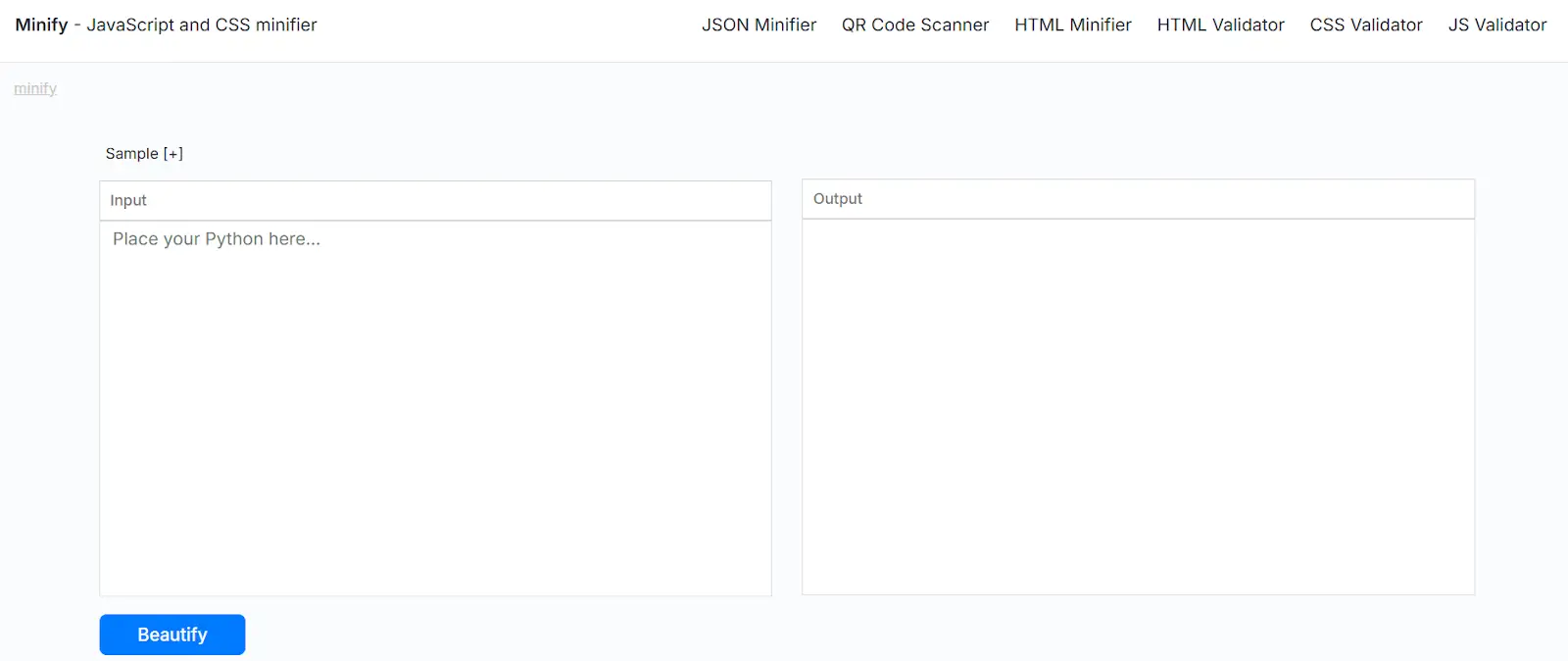
As you can see, it has a minimal interface and an intuitive design. If you are a beginner, you should use such basic tools.
Based on the input options available on the tool that you have chosen, insert your unformatted code. Some tools may allow you to upload files. For our example, we will simply paste our code:
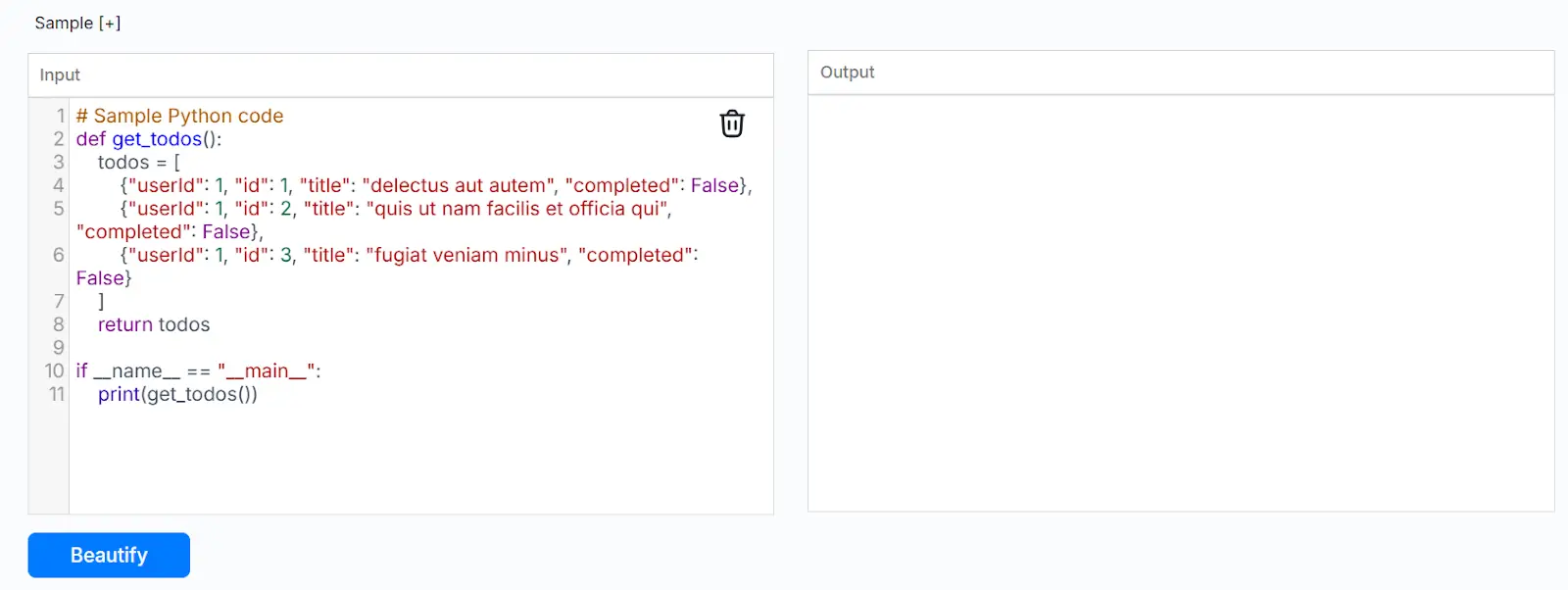
As you can see, this code has no line spacing and has unformatted parentheses. Let’s see how the tool fixes them.
Lastly, click on the action button. In this case, it says ‘Beautify:’
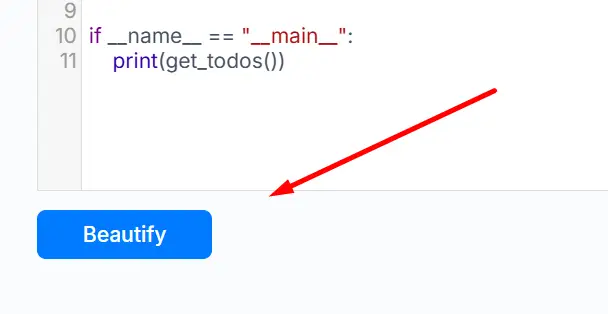
Once you click this, a formatted version of your original code will be given in the output section. The following image shows the results:
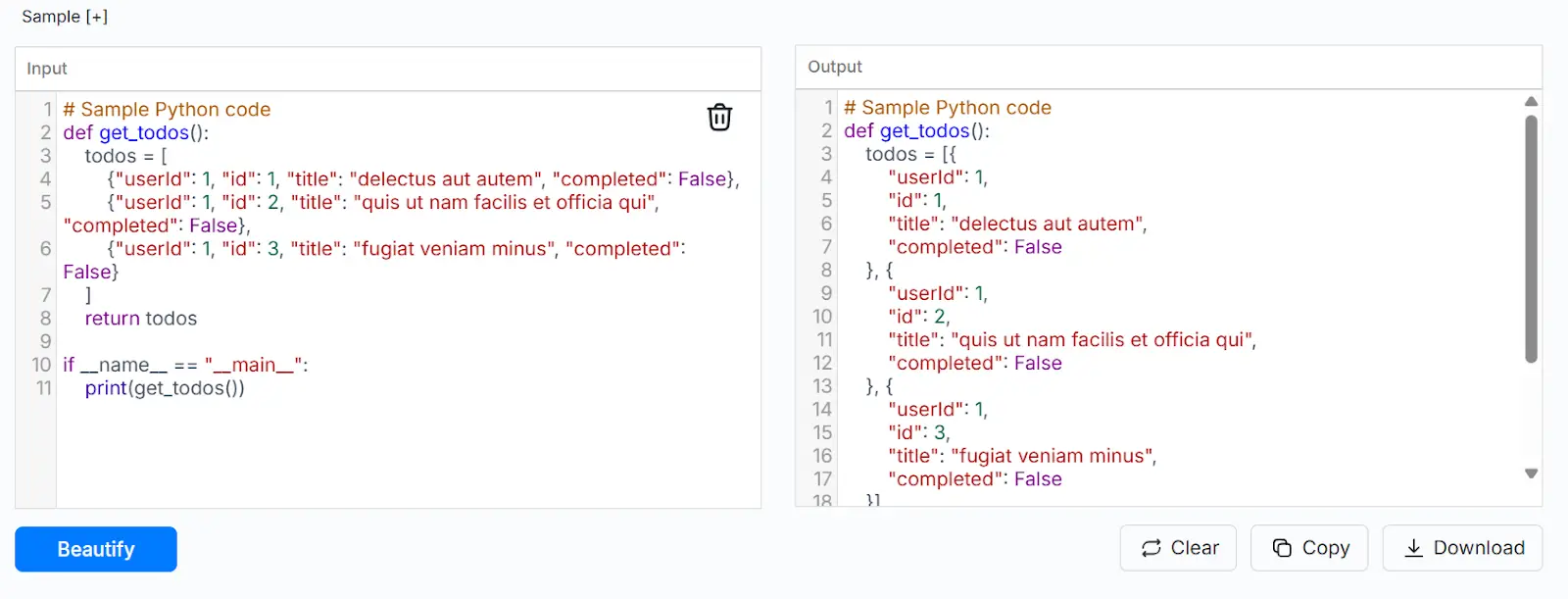
You can copy or download the formatted code to paste it into your code editor or IDE.
Additional Tips for Formatting
The method explained above is perfect for quickly formatting your Python code. However, here are some additional tips that you can adapt while writing code.
Use Proper Variable Names
Most coders choose variable names that are short and non-descriptive. This works fine in solo projects. However, even then, if you have to debug that code after a while, you might get confused with such variables.
Moreover, this becomes an even bigger problem if someone else needs to modify or debug your code. So, avoid using one-character variable names such as ‘x’ or ‘a.’ Instead, try to come up with names that describe the function of those variables. Similarly, it can also be helpful if you follow the naming conventions, such as using ‘_’ between words.
Use Proper Indentation
Another important thing when it comes to formatting is indentation. Python uses indentation to define code blocks. This is something that is not just important for formatting, but also for the functionality of your code.
Python requires users to add four spaces after every level. Some compilers allow you to do this by simply pressing the tab button. So, make sure proper indentation is followed throughout your code.
Write Meaningful Comments
Comments are usually disregarded by most coders. Technically, these don’t affect your code’s functionality. However, in terms of readability, these can be highly helpful. Especially if you wrote something unconventional, adding a comment beside it can help you instantly remember it later.
Regardless, don’t clutter your code with comments everywhere. This can make your code even more complex. So, find the right balance, and add comments when necessary.
Final Words
Writing neat and professional Python code may not change how your program runs, but it can make a huge difference in how easily it can be understood. Clean code helps you and others debug faster, collaborate effectively, and avoid confusion in the future.
By following the simple practices and formatting tools, you can save time and effort while keeping your code organized. Developing these habits early on will not only improve your workflow but also make you a more efficient programmer.

Writing code neatly or professionally doesn’t directly affect the program’s performance. However, most of the time, a code’s purpose is not only to run a program. There are many intricacies involved in programming.
For example, if you write a Python code but later find out that there is a bug in it that needs fixing, you will have to refer to the original code. In such scenarios, poorly written code can make debugging a nightmare.
Nevertheless, I don’t deny that formatting code can sometimes be tiring and redundant. In this article, we will share a quick solution for that. So, if you are a programmer who struggles with Python code formatting, this article is for you.
Why Code Formatting Matters
Before we get into the solution, let me elaborate on the importance of formatting.
I briefly discussed how it is important to write neat and professional code. However, debugging isn’t the only reason why you should do this. So, here, I have listed down some points that highlight the importance of writing properly formatted code:
These are some of the fundamental reasons why having a well-organized code can be helpful. So now, let’s get into how such formatting can be achieved using a simple technique.
Quick Formatting Method
While manual formatting can be effective, it’s often time-consuming, particularly for larger projects. Python Formatter available online can help simplify this task.
To use such a tool, use these steps:
Find a Tool
First of all, go to an online tool of your choice. There are many formatting tools available on the Internet. Since we are talking about Python, here is an example tool for that:
As you can see, it has a minimal interface and an intuitive design. If you are a beginner, you should use such basic tools.
Insert Code
Based on the input options available on the tool that you have chosen, insert your unformatted code. Some tools may allow you to upload files. For our example, we will simply paste our code:
As you can see, this code has no line spacing and has unformatted parentheses. Let’s see how the tool fixes them.
Format
Lastly, click on the action button. In this case, it says ‘Beautify:’
Once you click this, a formatted version of your original code will be given in the output section. The following image shows the results:
You can copy or download the formatted code to paste it into your code editor or IDE.
Additional Tips for Formatting
The method explained above is perfect for quickly formatting your Python code. However, here are some additional tips that you can adapt while writing code.
Use Proper Variable Names
Most coders choose variable names that are short and non-descriptive. This works fine in solo projects. However, even then, if you have to debug that code after a while, you might get confused with such variables.
Moreover, this becomes an even bigger problem if someone else needs to modify or debug your code. So, avoid using one-character variable names such as ‘x’ or ‘a.’ Instead, try to come up with names that describe the function of those variables. Similarly, it can also be helpful if you follow the naming conventions, such as using ‘_’ between words.
Use Proper Indentation
Another important thing when it comes to formatting is indentation. Python uses indentation to define code blocks. This is something that is not just important for formatting, but also for the functionality of your code.
Python requires users to add four spaces after every level. Some compilers allow you to do this by simply pressing the tab button. So, make sure proper indentation is followed throughout your code.
Write Meaningful Comments
Comments are usually disregarded by most coders. Technically, these don’t affect your code’s functionality. However, in terms of readability, these can be highly helpful. Especially if you wrote something unconventional, adding a comment beside it can help you instantly remember it later.
Regardless, don’t clutter your code with comments everywhere. This can make your code even more complex. So, find the right balance, and add comments when necessary.
Final Words
Writing neat and professional Python code may not change how your program runs, but it can make a huge difference in how easily it can be understood. Clean code helps you and others debug faster, collaborate effectively, and avoid confusion in the future.
By following the simple practices and formatting tools, you can save time and effort while keeping your code organized. Developing these habits early on will not only improve your workflow but also make you a more efficient programmer.
Best Online Spanish Classes in India
Best Online German Classes in India
Best Online French Classes in India
How to Apply for a Canada Work Visa: Complete Step-by-Step Guide for 2026
Top 10 Emerging Career Skills Employers Are Actively Searching for in 2026
Hire Cryptocurrency Experts: Vetted Blockchain Professionals for Agile Teams in 2026
Request a Call Back
Related Posts
How to Apply for a Canada Work Visa: Complete Step-by-Step Guide for 2026
Read MoreApply for a Canada Work Visa: Canada has emerged as a favorite destination for professionals seeking improved job prospects, better pay, and a superior quality of life. Annually, thousands of qualified professionals migrate to Canada via various immigration options. Therefore, many people are now considering applying for a Canada Work Visa to gain overseas work […]
Top 10 Emerging Career Skills Employers Are Actively Searching for in 2026
Read MoreThe top emerging career skills in 2026 reflect a major shift in how organisations evaluate talent. Employers are no longer focused solely on technical credentials. Instead, they are prioritising professionals who combine digital fluency, analytical thinking, and strong interpersonal abilities. Workplaces across industries are changing rapidly as automation, artificial intelligence, and global collaboration reshape how […]
Hire Cryptocurrency Experts: Vetted Blockchain Professionals for Agile Teams in 2026
Read MoreAs blockchain technology continues to reshape business operations in 2026, access to specialized crypto professionals has become increasingly critical for organizations. The challenge isn’t finding just anyone with blockchain experience—it’s securing verified experts who can deliver immediate value. Why Businesses Need Crypto Professionals in 2026 The digital asset landscape has evolved dramatically, creating urgent demand […]
How Web Developers are Staying Relevant in the Age of AI
Read MoreArtificial intelligence (AI) has significantly changed the web development world very quickly. Initially, when AI was starting to take over our daily lives, you may have felt worried about your future in this field. You may have wondered if machines will eventually take over your work. That feeling is completely normal. Stanford’s 2025 AI Index […]
How Study Abroad Students Can Use Tech Upskilling to Build Global Careers
Read MoreStudying abroad changes you. You learn to live independently. You adjust to new cultures. You build confidence. But when it comes to jobs, experience and skills matter more than location. If you want a global career, you need more than a degree. You need skills that employers value everywhere. Right now, tech skills sit at […]
Meet Our Conversion Expert