Writing code neatly or professionally doesn’t directly affect the program’s performance. However, most of the time, a code’s purpose is not only to run a program. There are many intricacies involved in programming.
For example, if you write a Python code but later find out that there is a bug in it that needs fixing, you will have to refer to the original code. In such scenarios, poorly written code can make debugging a nightmare.
Nevertheless, I don’t deny that formatting code can sometimes be tiring and redundant. In this article, we will share a quick solution for that. So, if you are a programmer who struggles with Python code formatting, this article is for you.
Why Code Formatting Matters
Before we get into the solution, let me elaborate on the importance of formatting.
I briefly discussed how it is important to write neat and professional code. However, debugging isn’t the only reason why you should do this. So, here, I have listed down some points that highlight the importance of writing properly formatted code:
- If you are working on a team project, following a proper format can help maintain consistency.
- Formatting your code helps you avoid and spot errors more easily.
- A professionally formatted code is easy to read. So, if you have to present it to someone else, it will be easier. Similarly, it’ll be easier to understand even if you take a look at it yourself in the future.
These are some of the fundamental reasons why having a well-organized code can be helpful. So now, let’s get into how such formatting can be achieved using a simple technique.
Quick Formatting Method
While manual formatting can be effective, it’s often time-consuming, particularly for larger projects. Python Formatter available online can help simplify this task.
To use such a tool, use these steps:
First of all, go to an online tool of your choice. There are many formatting tools available on the Internet. Since we are talking about Python, here is an example tool for that:
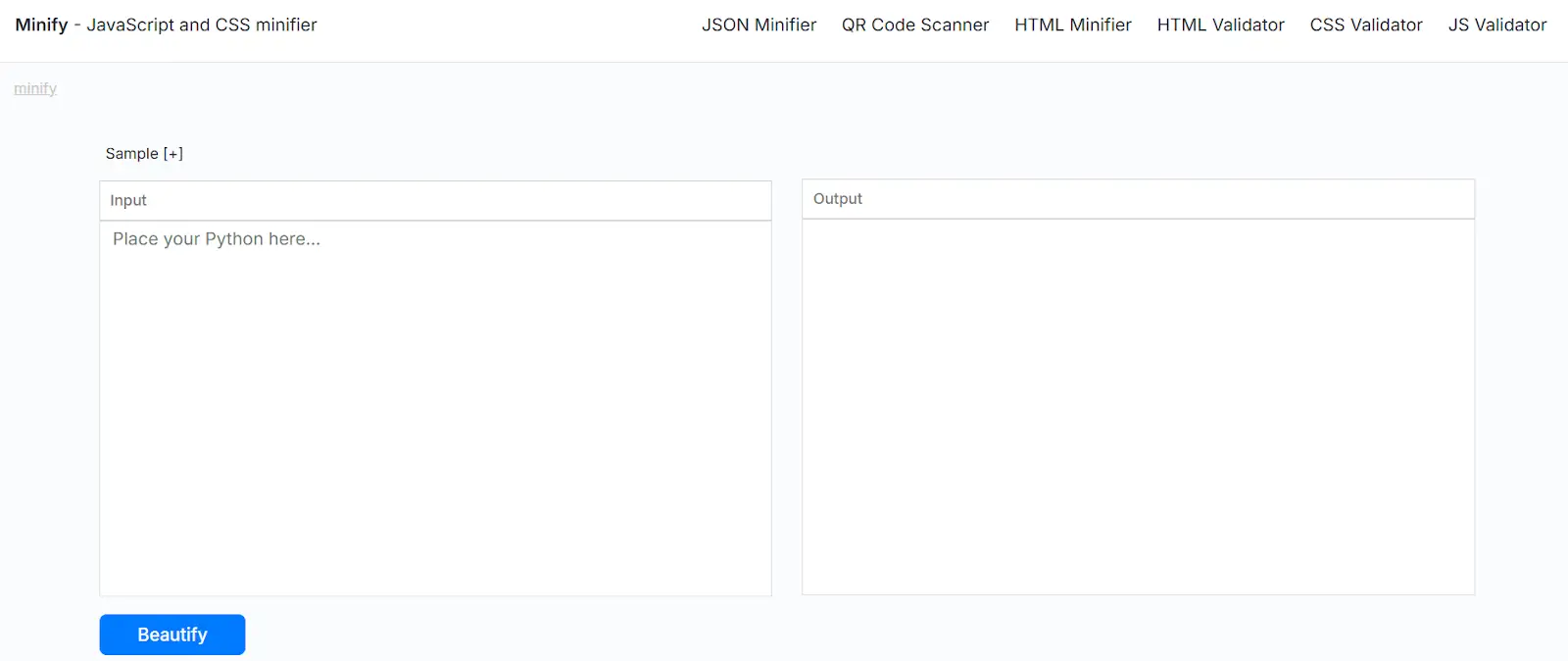
As you can see, it has a minimal interface and an intuitive design. If you are a beginner, you should use such basic tools.
Based on the input options available on the tool that you have chosen, insert your unformatted code. Some tools may allow you to upload files. For our example, we will simply paste our code:
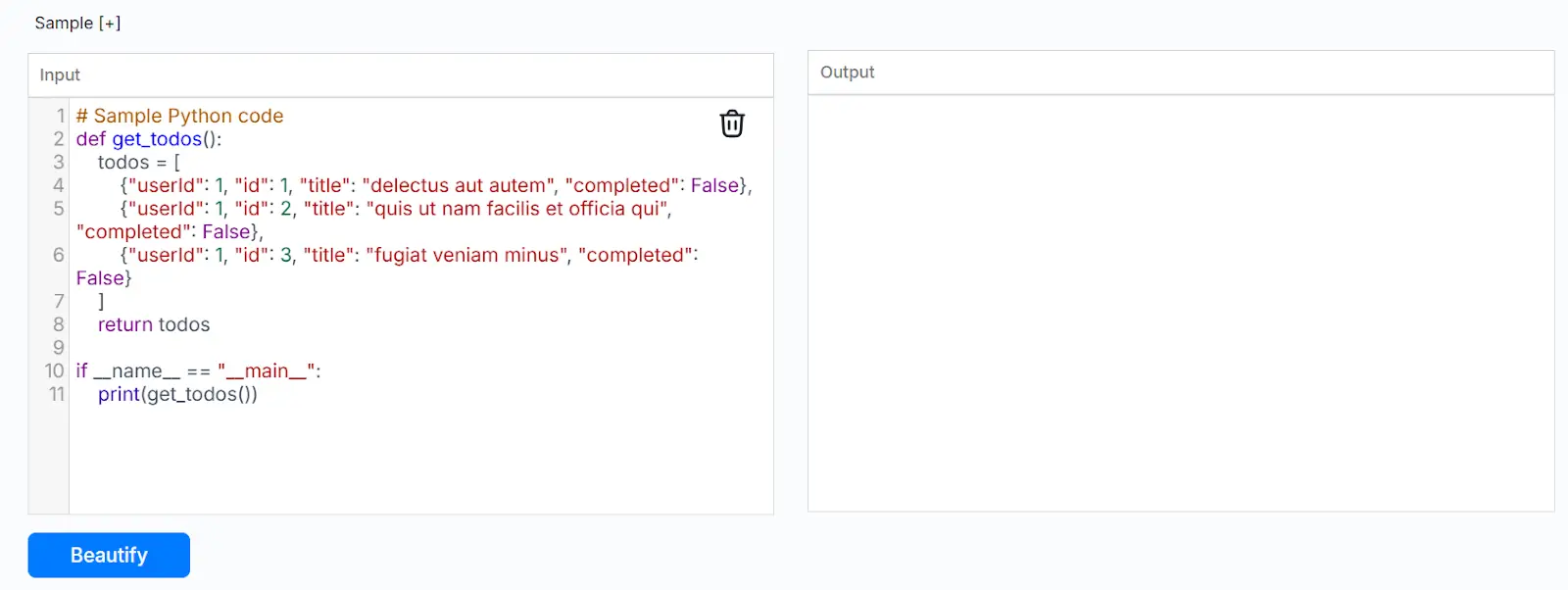
As you can see, this code has no line spacing and has unformatted parentheses. Let’s see how the tool fixes them.
Lastly, click on the action button. In this case, it says ‘Beautify:’
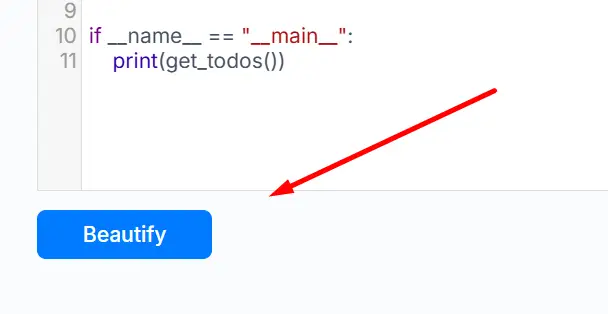
Once you click this, a formatted version of your original code will be given in the output section. The following image shows the results:
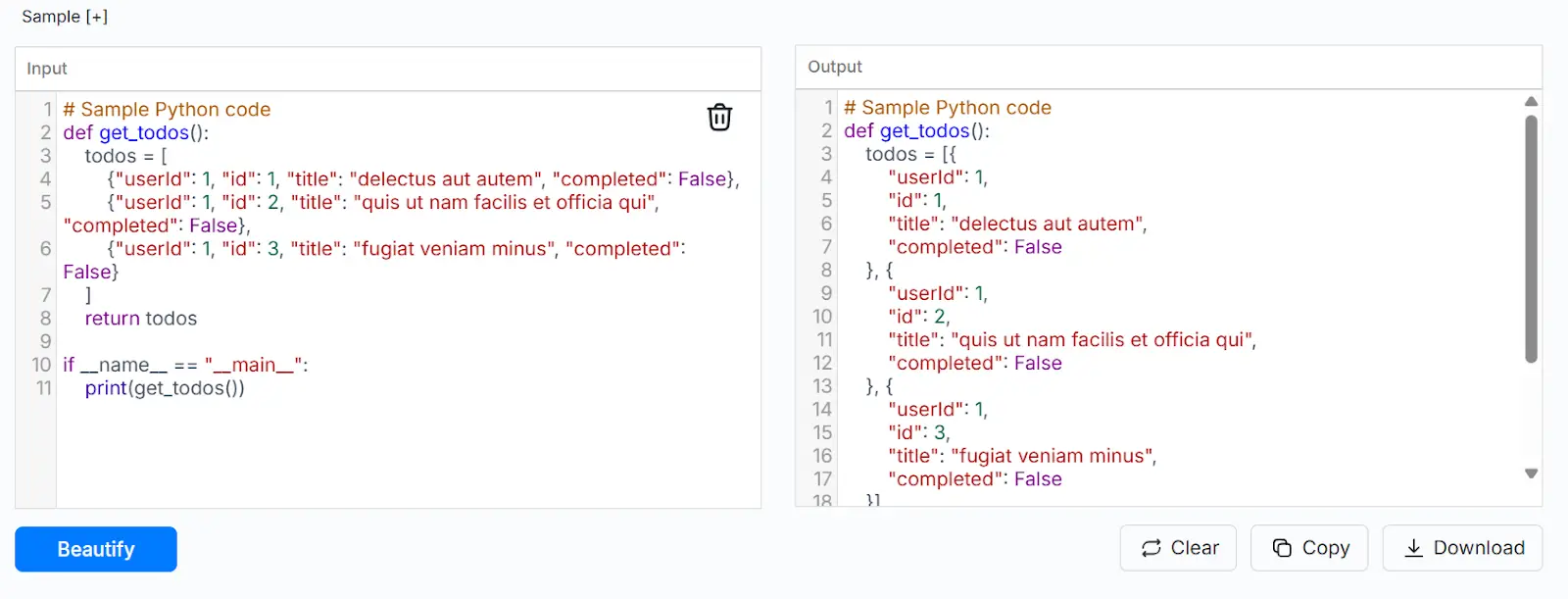
You can copy or download the formatted code to paste it into your code editor or IDE.
Additional Tips for Formatting
The method explained above is perfect for quickly formatting your Python code. However, here are some additional tips that you can adapt while writing code.
Use Proper Variable Names
Most coders choose variable names that are short and non-descriptive. This works fine in solo projects. However, even then, if you have to debug that code after a while, you might get confused with such variables.
Moreover, this becomes an even bigger problem if someone else needs to modify or debug your code. So, avoid using one-character variable names such as ‘x’ or ‘a.’ Instead, try to come up with names that describe the function of those variables. Similarly, it can also be helpful if you follow the naming conventions, such as using ‘_’ between words.
Use Proper Indentation
Another important thing when it comes to formatting is indentation. Python uses indentation to define code blocks. This is something that is not just important for formatting, but also for the functionality of your code.
Python requires users to add four spaces after every level. Some compilers allow you to do this by simply pressing the tab button. So, make sure proper indentation is followed throughout your code.
Write Meaningful Comments
Comments are usually disregarded by most coders. Technically, these don’t affect your code’s functionality. However, in terms of readability, these can be highly helpful. Especially if you wrote something unconventional, adding a comment beside it can help you instantly remember it later.
Regardless, don’t clutter your code with comments everywhere. This can make your code even more complex. So, find the right balance, and add comments when necessary.
Final Words
Writing neat and professional Python code may not change how your program runs, but it can make a huge difference in how easily it can be understood. Clean code helps you and others debug faster, collaborate effectively, and avoid confusion in the future.
By following the simple practices and formatting tools, you can save time and effort while keeping your code organized. Developing these habits early on will not only improve your workflow but also make you a more efficient programmer.

Writing code neatly or professionally doesn’t directly affect the program’s performance. However, most of the time, a code’s purpose is not only to run a program. There are many intricacies involved in programming.
For example, if you write a Python code but later find out that there is a bug in it that needs fixing, you will have to refer to the original code. In such scenarios, poorly written code can make debugging a nightmare.
Nevertheless, I don’t deny that formatting code can sometimes be tiring and redundant. In this article, we will share a quick solution for that. So, if you are a programmer who struggles with Python code formatting, this article is for you.
Why Code Formatting Matters
Before we get into the solution, let me elaborate on the importance of formatting.
I briefly discussed how it is important to write neat and professional code. However, debugging isn’t the only reason why you should do this. So, here, I have listed down some points that highlight the importance of writing properly formatted code:
These are some of the fundamental reasons why having a well-organized code can be helpful. So now, let’s get into how such formatting can be achieved using a simple technique.
Quick Formatting Method
While manual formatting can be effective, it’s often time-consuming, particularly for larger projects. Python Formatter available online can help simplify this task.
To use such a tool, use these steps:
Find a Tool
First of all, go to an online tool of your choice. There are many formatting tools available on the Internet. Since we are talking about Python, here is an example tool for that:
As you can see, it has a minimal interface and an intuitive design. If you are a beginner, you should use such basic tools.
Insert Code
Based on the input options available on the tool that you have chosen, insert your unformatted code. Some tools may allow you to upload files. For our example, we will simply paste our code:
As you can see, this code has no line spacing and has unformatted parentheses. Let’s see how the tool fixes them.
Format
Lastly, click on the action button. In this case, it says ‘Beautify:’
Once you click this, a formatted version of your original code will be given in the output section. The following image shows the results:
You can copy or download the formatted code to paste it into your code editor or IDE.
Additional Tips for Formatting
The method explained above is perfect for quickly formatting your Python code. However, here are some additional tips that you can adapt while writing code.
Use Proper Variable Names
Most coders choose variable names that are short and non-descriptive. This works fine in solo projects. However, even then, if you have to debug that code after a while, you might get confused with such variables.
Moreover, this becomes an even bigger problem if someone else needs to modify or debug your code. So, avoid using one-character variable names such as ‘x’ or ‘a.’ Instead, try to come up with names that describe the function of those variables. Similarly, it can also be helpful if you follow the naming conventions, such as using ‘_’ between words.
Use Proper Indentation
Another important thing when it comes to formatting is indentation. Python uses indentation to define code blocks. This is something that is not just important for formatting, but also for the functionality of your code.
Python requires users to add four spaces after every level. Some compilers allow you to do this by simply pressing the tab button. So, make sure proper indentation is followed throughout your code.
Write Meaningful Comments
Comments are usually disregarded by most coders. Technically, these don’t affect your code’s functionality. However, in terms of readability, these can be highly helpful. Especially if you wrote something unconventional, adding a comment beside it can help you instantly remember it later.
Regardless, don’t clutter your code with comments everywhere. This can make your code even more complex. So, find the right balance, and add comments when necessary.
Final Words
Writing neat and professional Python code may not change how your program runs, but it can make a huge difference in how easily it can be understood. Clean code helps you and others debug faster, collaborate effectively, and avoid confusion in the future.
By following the simple practices and formatting tools, you can save time and effort while keeping your code organized. Developing these habits early on will not only improve your workflow but also make you a more efficient programmer.
Best Online Spanish Classes in India
Best Online German Classes in India
Best Online French Classes in India (2026)
Unskilled Jobs in Germany for Indians: Jobs, Salary & Visa Guide
CLB vs NCLC Canada: Understanding the Difference for Canadian PR
Learn German Language for Tech Career: Unlock Opportunities
Request a Call Back
Related Posts
Unskilled Jobs in Germany for Indians: Jobs, Salary & Visa Guide
Read MoreUnskilled jobs in Germany are suitable for people who may not have a university degree or specialized professional qualification. Germany not only needs high-tech professionals but also needs workers for unskilled jobs, as it is facing a real shortage. In addition, unskilled jobs include warehouse work, cleaning, delivery, factory production lines, farming, and basic hospitality […]
CLB vs NCLC Canada: Understanding the Difference for Canadian PR
Read MoreImagine you are a software engineer from India, and you want to apply for Canadian PR through the Express Entry system. You thought of taking the TEF Canada exam to improve your CRS score. And while researching, you come across terms like “CLB,” “NCLC,” and “CLB vs NCLC.” You may start wondering, “Is CLB 7 the same as NCLC 7?” […]
Learn German Language for Tech Career: Unlock Opportunities
Read MoreWhy learn German for a tech career? German is not just a language; it’s a skill to be open to numerous opportunities. German is considered one of the best languages for tech and business careers and study opportunities. Additionally, learning a German language can benefit tech professionals by improving job prospects and workplace communication. no matter if […]
Corporate Language Training: Why It Matters in 2026
Read MoreCorporate language training is a structured program that helps employees develop foreign language skills for professional communication. The main goal of the language training for companies is to improve the workplace, enhance employees’ communication skills, and expand into global markets. As businesses are now expanding globally, a multilingual team has become an important asset for […]
French Speaking Countries in World : A Comprehensive Guide (2026-2027)
Read MoreFrench Speaking Countries: French is one of the world’s most widely spoken languages, which has almost 400 million native speakers on five different continents. The countries that speak French are located in Europe, Africa, North America, South America, the Caribbean, and Oceania. Currently, French is the official language of 26 sovereign countries and is spoken […]
Meet Our Conversion Expert